Hacking लेबलों वाले संदेश दिखाए जा रहे हैं. सभी संदेश दिखाएं

गुरुवार, 23 अक्टूबर 2025

Data Privacy & Protection –अपने डिजिटल जीवन की सुरक्षा के लिए संपूर्ण मार्गदर्शिका


हम एक ऐसे डिजिटल युग में रह रहे हैं जहाँ डेटा ही नई मुद्रा (Data is the new currency) बन चुका है।
हर दिन हम अपने मोबाइल, लैपटॉप, बैंकिंग ऐप्स, सोशल मीडिया और ई-कॉमर्स वेबसाइट्स पर अनगिनत बार अपनी personal information साझा करते हैं।
लेकिन क्या आपने कभी सोचा है कि यह डेटा कहाँ जाता है, कौन इसे एक्सेस कर सकता है, और इसका क्या उपयोग (या दुरुपयोग) होता है?

Data Privacy & Protection का अर्थ है — अपनी व्यक्तिगत जानकारी को सुरक्षित रखना ताकि कोई अनधिकृत व्यक्ति या संस्था उसका दुरुपयोग न कर सके।
यह सिर्फ सुरक्षा का मुद्दा नहीं, बल्कि हमारी डिजिटल पहचान (Digital Identity) की रक्षा से जुड़ा विषय है।

 Understanding Data Privacy — What It Really Means

 What is Data Privacy?
Data Privacy उस नियंत्रण को दर्शाता है जो हमें अपने डेटा पर होता है — यानी कौन देख सकता है, कैसे उपयोग कर सकता है और कितनी देर तक रख सकता है।
Examples of personal data:

  1. नाम, पता, मोबाइल नंबर
  2. बैंक या क्रेडिट कार्ड डिटेल्स
  3. Location data
  4. Browsing history
  5. Medical records
  6. Social media activities

 Why Data Privacy is Important

Identity Theft से बचाव: किसी के हाथ आपका आधार, पैन, या बैंक डेटा लग जाए तो नुकसान भारी हो सकता है।
Financial Protection: हैकर्स आपके डेटा का उपयोग fraudulent transactions के लिए कर सकते हैं।
Freedom & Trust: जब आप जानते हैं कि आपका डेटा सुरक्षित है, तो आप डिजिटल सेवाओं पर अधिक भरोसा करते हैं।
Compliance & Law: हर देश में डेटा प्रोटेक्शन के लिए कानून बनाए जा रहे हैं, जैसे —


GDPR (Europe)
CCPA (California)
DPDP Act 2023 (India)

 Types of Data That Need Protection

Data TypeDescriptionExamples
Personal Data जो व्यक्ति की पहचान करे                Name, DOB, Contact Info
Sensitive Dataजो misuse से हानि पहुँचा सकता है                Aadhaar, PAN, Passwords
Behavioral Dataआपकी डिजिटल गतिविधियों से जुड़ा                Search history, clicks
Financial Data            धन या लेन-देन से जुड़ा                Card details, UPI IDs
Health Dataमेडिकल स्थिति व रिपोर्ट्स                Medical history, prescriptions

 How Data is Collected (Often Without You Knowing)

आजकल वेबसाइट्स और ऐप्स हर समय डेटा एकत्र करती हैं। कुछ open तरीके से, कुछ hidden:

  • Cookies & Trackers

  • Mobile permissions (Camera, Mic, Location)

  • Social Media Analytics

  • Cloud services

  • IoT Devices (जैसे स्मार्टवॉच, CCTV कैमरा)

Pro Tip: हमेशा “Accept All Cookies” दबाने से पहले वेबसाइट की Privacy Policy ज़रूर पढ़ें।


 Common Threats to Data Privacy

  1. Phishing Attacks – नकली ईमेल/वेबसाइट से डेटा चुराना

  2. Ransomware – आपके फाइलों को लॉक करके फिरौती मांगना

  3. Malware & Spyware – चुपके से जानकारी चुराना

  4. Social Engineering – धोखे से पासवर्ड या OTP निकलवाना

  5. Data Breaches – कंपनियों के सर्वर से लाखों रिकॉर्ड लीक होना

  6. Unsecured Wi-Fi Networks – पब्लिक नेटवर्क पर डेटा चोरी

  7. Cloud Misconfiguration – गलत सुरक्षा सेटिंग्स से लीक

 How to Protect Your Data — Practical Steps

 Personal Data Security Tips

  • मजबूत Password Policy अपनाएँ (8+ characters, symbols, numbers)

  • हर अकाउंट के लिए Unique Passwords रखें

  • Two-Factor Authentication (2FA) हमेशा ऑन रखें

  • Password Manager जैसे Bitwarden या 1Password का उपयोग करें

 Device & Network Protection

  • नियमित रूप से OS और Apps को Update करें

  • Antivirus / Firewall install करें

  • VPN से ही पब्लिक Wi-Fi यूज़ करें

  • “Auto-Connect to Wi-Fi” disable रखें

 Cloud & Email Security

  • Cloud पर sensitive files Encrypt करके रखें

  • Unknown email attachments कभी न खोलें

  • Sender address हमेशा verify करें

  • Spam और phishing filters enable करें


 Data Protection in Organizations

 Role of Companies

कंपनियों को चाहिए कि वे Data Protection Policies बनाएँ और उन्हें नियमित रूप से implement करें।

 Essential Corporate Practices

  • Data encryption (At-rest & In-transit)

  • Access control policies

  • Regular security audits

  • Data backup & recovery plan

  • Employee awareness training

 Data Protection Officers (DPO)

GDPR जैसे कानूनों के तहत बड़ी कंपनियों में Data Protection Officer की नियुक्ति अनिवार्य होती है, जो यह सुनिश्चित करता है कि कोई डेटा misuse न हो।


 Global & Indian Data Privacy Laws

 Global Frameworks

  • GDPR (General Data Protection Regulation – EU)
    यह तय करता है कि कोई कंपनी डेटा को कैसे स्टोर, प्रोसेस और शेयर कर सकती है।

  • CCPA (California Consumer Privacy Act)
    यूज़र्स को यह अधिकार देता है कि वे जानें उनका डेटा कहाँ और कैसे इस्तेमाल हो रहा है।

 Indian Law: DPDP Act 2023

Digital Personal Data Protection Act (DPDP 2023) भारत में लागू किया गया है।
इसके तहत:

  • यूज़र्स को Data Principal कहा जाता है

  • Consent आवश्यक है

  • Violation पर ₹250 करोड़ तक का जुर्माना लगाया जा सकता है


 Future of Data Privacy

आने वाले वर्षों में AI, IoT और Big Data के विस्तार के साथ Data Privacy और भी जटिल होगी।

 Key Trends:

  1. AI-Driven Privacy Protection tools

  2. Decentralized Identity Management (Blockchain आधारित)

  3. Zero-Knowledge Encryption Models

  4. Privacy by Design – प्रोडक्ट्स में ही प्राइवेसी को शामिल करना

  5. Quantum-resistant encryption


 Building a Privacy-First Mindset

Data Privacy सिर्फ तकनीक नहीं — एक सोच (Mindset) है।

  • “हर जानकारी जरूरी नहीं साझा करनी चाहिए।”

  • “Free services के पीछे कीमत आपका डेटा होता है।”

  • “Privacy एक अधिकार है, सुविधा नहीं।”

इस mindset को अपनाने से आप अपने डिजिटल जीवन को सुरक्षित रख सकते हैं।


Section 10: Final Thoughts — Take Control of Your Digital Identity

हम अपने हर डिजिटल कदम से डेटा जनरेट करते हैं — और यही डेटा हमारी पहचान है।
इसलिए अपने डेटा की सुरक्षा को प्राथमिकता दें, जैसे हम अपने घर की चाबी को देते हैं।

Remember:

“If you are not paying for the product, you are the product.”

सचेत रहिए, सुरक्षित रहिए, और अपने डेटा पर नियंत्रण रखिए।


 Call to Action

Follow Sky Yadu CyberSecurity for more deep, practical guides on:

  • Ethical Hacking

  • Network Security

  • Cyber Awareness

  • Free Cybersecurity Tools

 नीचे कमेंट करें —
आपके हिसाब से Data Privacy का सबसे बड़ा खतरा क्या है?


सोमवार, 13 अक्टूबर 2025

Ethical Hacking — Step-by-Step (Hindi)


क्यों Ethical Hacking ज़रूरी है?

आज के डिजिटल युग में साइबर हमले न केवल टेक्निकल तक सीमित हैं, बल्कि आर्थिक, सामाजिक और राष्ट्रीय सुरक्षा के लिए भी खतरा बन गए हैं। कंपनियाँ, सरकारी संस्थाएँ और व्यक्तिगत उपयोगकर्ता सभी निशाने पर हैं। इसलिए Hackers से सुरक्षा पाने के लिए हमें उन्हीं की भाषा समझनी होगी — परंतु नैतिक तरीके से। यही है Ethical Hacking: सिस्टम की कमज़ोरियाँ पहचानना ताकि उन्हें सही तरीक़े से ठीक किया जा सके।

Ethical Hacker का उद्देश्य रक्षा बढ़ाना, रिस्क कम करना और सिस्टम को सुरक्षित बनाना है — वह बुरा नहीं करता, बल्कि बुराइयों को खोजकर रिपोर्ट करता है।

Ethical Hacking क्या है 

Ethical Hacking (जिसे penetration testing या white-hat hacking भी कहा जाता है) वह प्रक्रिया है जिसमें किसी सिस्टम, नेटवर्क या एप्लिकेशन की सुरक्षा का परीक्षण वैध अनुमति के साथ किया जाता है। इसका मुख्य उद्देश्य है:

  • Vulnerabilities खोजना (पर exploit करने के बदले)

  • Risk का मापन करना

  • सुरक्षा सुधार के उपाय सुझाना

  • Responsible disclosure के जरिए patches और remediation कराना

यहाँ महत्वपूर्ण है — अनुमति (Authorization)। बिना अनुमति किसी सिस्टम पर टेस्ट करना गैरकानूनी है।

Ethical Hacking के प्रमुख पहलू 

  1. Reconnaissance (जानकारी इकट्ठा करना): लक्ष्य के बारे में सार्वजनिक जानकारी (OSINT) इकट्ठा करना — domain, subdomains, public IPs, technologies, employee info आदि।

  2. Threat Modeling & Scoping: क्या टेस्ट करना है, क्या नहीं — जोखिमों को प्राथमिकता देना।

  3. Vulnerability Assessment: Automated scanning से संभावित कमजोरियाँ ढूँढना (high-level)।

  4. Penetration Testing: अनुमति के साथ नियंत्रित तरीके से कमजोरियों की पुष्टि (exploit confirmation) — पर exploit को production नुकसान न पहुँचाने का नियम।

  5. Post-Exploitation (Ethical): पाया गया access किस तरह का है, क्या डेटा एक्सपोज़ हुआ — रिपोर्ट के लिए साक्ष्य इकट्ठा करना।

  6. Reporting & Remediation: findings का साफ़ और actionable रिपोर्ट, fix prioritization।

  7. Retesting: fixes लागू होने के बाद verify करना।

ध्यान: ऊपर के चरणों में technical depth जरूरी है लेकिन exploit के step-by-step destructive तरीकों का खुलासा नहीं किया जाता — यही ethical boundary है।

कानूनी और नैतिक फ्रेमवर्क 

  • Written Authorization: हमेशा written permission लें — scope, duration, allowed tools, out-of-scope systems स्पष्ट हों।

  • Non-Disclosure Agreement (NDA): संवेदनशील डेटा के लिए NDA होना चाहिए।

  • Responsible Disclosure Policy: यदि आप किसी तीसरे पार्टी vulnerability पाते हैं तो organized, non-exploitative तरीके से vendor को रिपोर्ट करें।

  • Data Protection Laws: GDPR, India's IT Act और अन्य स्थानीय कानूनों का पालन करें — किसी भी व्यक्तिगत डेटा को नुकसान नहीं पहुँचाना चाहिए।

  • Scope और Rules of Engagement (RoE): टेस्टिंग की सीमा और किस हालत में टेस्ट बंद कर देना है, ये निर्धारित हों।

Ethical Hacking के प्रकार (Categories)

  • Black-box Testing: Tester को target के बारे में बेहद कम जानकारी होती है — real-world attacker simulation।

  • White-box Testing: Tester को पूरा source/code, architecture दस्तावेज़ दिया जाता है — deep security audit।

  • Grey-box Testing: आंशिक जानकारी मिलती है — जैसे developer credentials के बिना लेकिन internal knowledge के साथ।

  • Red Teaming: एक व्यापक assault simulation — organization की detection और response capabilities जांचना।

  • Blue Teaming: Defensive teams का काम — IDS/IPS, monitoring, incident response। Purple team exercises में Red और Blue मिलकर सिखते हैं।

Tools — क्या जानना उपयोगी है (पर destructive instructions नहीं)

Ethical hackers को tools की समझ होनी चाहिए — पर हम यहाँ commands या exploit code नहीं देंगे, सिर्फ tool categories और उनका उद्देश्य बताएंगे:

  • Recon & OSINT: Shodan, Censys, crt.sh (cert search), WHOIS, Google dorks — सार्वजनिक जानकारी खोजना।

  • Network Scanning: Nmap (network discovery, port enumeration) — यहाँ से पता चलता है कौनसे services चल रहे हैं।

  • Vulnerability Scanners: Nessus, OpenVAS, Qualys — high-level vuln identification।

  • Web App Testing: Burp Suite (proxy + scanner), OWASP ZAP — input validation, session management issues।

  • Password / Hash Testing: Hashcat (password analysis), लॉक-आउट policies का मूल्यांकन।

  • Wireless Testing: Tools to analyze Wi-Fi security posture (legal lab use only).

  • Container & Cloud Security: Tools for scanning container images and cloud misconfigurations (e.g., Trivy, kube-bench).

  • Logging & Monitoring Tools: Splunk, ELK Stack — detection/forensics analysis का हिस्सा।

 इन टूल्स का इस्तेमाल केवल authorized और controlled lab environment में करें। किसी production system पर इनका misuse करनै से अपराध बनता है।

Vulnerability Types — क्या ढूँढते हैं (Conceptual)

Ethical hacking में commonly जो vulnerabilities देखी जाती हैं (स्रोत: OWASP, SANS आदि):

  • Injection flaws (e.g., SQLi, Command Injection) — input sanitize न होने पर।

  • Broken Authentication & Session Management — weak sessions, predictable tokens।

  • Sensitive Data Exposure — unencrypted storage/transfer।

  • Misconfiguration — default passwords, open ports, permissive CORS।

  • Broken Access Controls — privilege escalation संभावनाएँ।

  • Insecure Deserialization, XXE, CSRF, XSS — web app specific।

  • Cloud misconfigurations — public S3 buckets, overstretched IAM policies।

  • Supply Chain risks — third-party libraries with vulnerabilities।

यहाँ हम exploit steps नहीं बताएंगे; बल्कि vulnerability का प्रभाव, detection और mitigation बताएंगे — ताकि reader समझकर defensive measures ला सके।

Secure Methodologies — कैसे testing सावधानीपूर्वक करें

  1. Non-destructive proofing: vulnerability confirm करने के लिए non-destructive techniques (e.g., safe probes) अपनाएँ।

  2. Time-window: Testing के लिए समय निर्धारित करें (off-peak) और notify stakeholders।

  3. Backups & Rollback: किसी भी टेस्ट से पहले backups मौजूद होने चाहिए।

  4. Logging enabled: Tests के दौरान logs collect करें — ताकि बाद में फ़ॉरेंसिक और रिपोर्टिंग आसान हो।

  5. Containment: किसी भी exploit का scope सीमित रखें, lateral movement न होने दें।

Lab Setup — सीखने के लिए सही तरीका (Legal & Safe)

Real-world skills पाने के लिए घरेलू/organizational lab बनाना सबसे सुरक्षित और नैतिक तरीका है:

  • Isolated Virtual Lab: VirtualBox/VMware पर isolated VMs: Kali (testing), Metasploitable (vulnerable target), web app vulnerable instances (OWASP Juice Shop)।

  • Container Labs: Docker-compose based vulnerable stacks (WebGoat, DVWA) — fast setup.

  • Cloud Sandboxes (with caution): जरूरी permission और billing समझ कर प्रयोग करें।

  • CTF Platforms: HackTheBox, TryHackMe, OverTheWire — legal challenges और structured learning।

  • Code Review Practice: Open-source projects पर secure code reading — input validation, auth flows को समझना।

Lab में हमेशा no internet outbound rules रखें जब आप intentionally vulnerable VM पर tests कर रहे हों — ताकि accidental misuse न हो।

Practical Defensive Focus — Ethical Hacker का रोल सिर्फ Attack नहीं

Ethical hacker की सबसे बड़ी value defensive side पर है — threat modeling से लेकर design-level security तक:

  • Secure SDLC: Developers के साथ काम कर secure coding guidelines implement करना।

  • Threat Modeling: Risk-based view: कौनसा asset value रखता है, attacker कौनसा path ले सकता है।

  • Security Automation: CI/CD pipeline में SAST/DAST, dependency scanning integrate करना।

  • Monitoring & Detection: EDR, SIEM, network anomaly detection systems deploy।

  • Incident Response: Playbooks, runbooks और tabletop exercises prepare करना।

Ethical hacker बन कर आप organization की security posture को proactively सुधारते हैं।

Reporting — सबसे अहम क़दम (How to Write an Effective PenTest Report)

एक अच्छा penetration test report technical और non-technical दोनों stakeholders के लिए उपयोगी होना चाहिए:

रिपोर्ट की structure (recommended)

  1. Executive Summary: Non-technical overview — findings का impact, priority, business risk।

  2. Scope & Methodology: क्या टेस्ट किया गया, किस permission के साथ, समय-सीमा, tools।

  3. Findings (detailed): प्रत्येक vulnerability के लिए — title, severity, affected systems, proof-of-concept (non-destructive), impact।

  4. Risk Rating & CVSS (if applicable): severity quantify करने के लिए।

  5. Remediation Steps: Clear, prioritized, actionable fixes (code/config suggestions)।

  6. Mitigation & Compensating Controls: अगर immediate fix न हो तो क्या temporary controls लगाएँ।

  7. Appendix: raw logs, screenshots, technical evidence (safeguarded)।

रिपोर्ट हमेशा professional, unbiased और reproducible हो — ताकि dev teams fixes पर काम कर सकें।

Responsible Disclosure — Vulnerability Report कैसे करें

यदि आप किसी third-party product/site पर vuln पाते हैं बिना explicit permission के, तो follow करें:

  1. Do not exploit further।

  2. Collect minimal evidence — screenshots, headers, proof that doesn't expose sensitive data.

  3. Search for vendor’s disclosure policy — अक्सर security page पर contact/email होता है।

  4. Send clear report: summary, steps to reproduce (non-exploitative), impact, contact info।

  5. Follow up — अगर vendor silent है, CERT/ISAC जैसे channels को notify करें।

  6. Respect timelines — public disclosure only after vendor patch or reasonable period।

Responsible disclosure से आप ethical reputation बनाते हैं और legal safety भी मिलती है।

Career Path — Ethical Hacker कैसे बनें (Practical Roadmap)

  1. Foundations: Networking (TCP/IP), OS fundamentals (Linux, Windows), web basics (HTTP, REST).

  2. Learn Security Concepts: Cryptography basics, authentication, access control models।

  3. Certifications (helpful):

    • CompTIA Security+ — basics

    • CEH (Certified Ethical Hacker) — conceptual coverage

    • OSCP (Offensive Security Certified Professional) — hands-on penetration testing (more technical)

    • CISSP — managerial & governance level

  4. Hands-on Practice: CTFs, vulnerable labs, bug bounty platforms (HackerOne, Bugcrowd) — शुरू में low-risk targets पर।

  5. Build Portfolio: Write blog posts, research writeups, responsible disclosures — show your process and ethics.

  6. Networking & Community: Conferences, local security meetups, GitHub contributions।

ध्यान: certifications मदद करते हैं पर practical skills और ethics सबसे ज़्यादा मायने रखते हैं।

Case Studies (High-level, Non-exploitative)

  1. Ransomware Attack Resilience: एक mid-size firm ने backups और network segmentation की वजह से रैनसमवेयर से data loss टाला — उनके lessons: immutable backups, segmentation, endpoint isolation।

  2. Web App Data Leak: एक web portal में insecure direct object references पाई गयीं; fix: proper access control checks server-side और input validation।

  3. Phishing Simulation Impact: एक organization ने simulated phishing campaigns कर awareness बढ़ाई; training ने click-rate घटाया।

इन кейस स्टडीज़ से readers को समझ आता है कि real-world mitigation कैसे काम करती है।

Ethics & Mindset — सही दृष्टिकोण

  • Curiosity + Responsibility: खोज का उद्देश्य हमेशा सुधार होना चाहिए।

  • Transparency: findings को गोपनीयता और जिम्मेदारी के साथ handle करना।

  • Continuous Learning: threat landscape लगातार बदलता है — लगातार सीखते रहें।

  • Collaboration: security कभी अकेले नहीं चलती — developers, ops और management के साथ काम करें।

Resources — पढ़ने और अभ्यास करने के लिए (Recommended)

  • OWASP Top 10 — web app vulnerabilities overview।

  • SANS Reading List — practical defensive and offensive topics।

  • CTF Platforms: TryHackMe, Hack The Box, OverTheWire।

  • Books: “The Web Application Hacker’s Handbook” (for concepts), “Practical Malware Analysis” (defensive understanding)।

  • Blogs & News: Krebs on Security, The Hacker News, ThreatPost।

  • YouTube Channels: LiveOverflow, John Hammond (conceptual demos) — note: always ethical context में देखें।

Final Checklist — Ethical Hacker के लिए Quick Actionable (non-exploitative) list

  • Written permission & scope defined।

  • Isolated test environment और backups ready।

  • Non-destructive verification techniques चुनें।

  • Detailed logging active रखें।

  • Clear, prioritized remediation और communication plan तैयार रखें।

  • Responsible disclosure और retesting का roadmap बनाएं।

निष्कर्ष — Ethical Hacking की असली ताकत

Ethical hacking केवल कमजोरी पहचानने का काम नहीं; यह एक organizational resilience बनाने की कला है। जब आप systems को attacker की नज़र से देखते हैं — पर ethically और responsibly — तभी आप असली सुरक्षा ला सकते हैं।

तो curiosity, discipline और ethics को अपने साथ रखें। सीखते रहें, सही तरीके से practice करें, और community में अपना योगदान दें — क्योंकि सुरक्षित डिजिटल दुनिया हम सबकी ज़िम्मेदारी है।

सोमवार, 29 सितंबर 2025

🛡️ फिशिंग अटैक (AI और नकली वेबसाइट्स)


 आज के डिजिटल दौर में साइबर क्राइम तेजी से बढ़ रहा है। हैकर्स अलग-अलग तरीके अपनाकर लोगों से उनका पर्सनल डेटा और पैसे चुराते हैं। इनमें से सबसे आसान और खतरनाक तरीका है फिशिंग अटैक (Phishing Attack)

2025 में ये अटैक और भी एडवांस हो गए हैं क्योंकि अब हैकर्स AI और नकली वेबसाइट्स का इस्तेमाल कर रहे हैं।


🎯 फिशिंग अटैक क्या होता है?

फिशिंग एक ऐसा साइबर हमला है जिसमें हैकर्स आपको नकली ईमेल, मैसेज या वेबसाइट के जरिए फँसाते हैं और आपके:

  • बैंक डिटेल्स

  • पासवर्ड

  • आधार / पैन जैसी जानकारी

  • क्रेडिट कार्ड डाटा
    चुरा लेते हैं।


🔎 फिशिंग अटैक के प्रकार

  1. ईमेल फिशिंग – नकली बैंक या कंपनी का ईमेल भेजना।

  2. एसएमएस फिशिंग (Smishing) – मोबाइल पर फेक लिंक वाले मैसेज भेजना।

  3. वॉइस फिशिंग (Vishing) – कॉल करके खुद को बैंक/सरकारी अधिकारी बताना।

  4. सोशल मीडिया फिशिंग – फेक अकाउंट या ऑफर्स के जरिए लोगों को लुभाना।


🚨 फिशिंग को पहचानने के तरीके

  • ईमेल/मैसेज में Spelling mistakes होना।

  • Urgent Action Required जैसा दबाव डालना।

  • लिंक पर क्लिक करने से पहले URL चेक करें (https होना चाहिए)।

  • बहुत अच्छा ऑफर” जैसी स्कीम पर शक करें।


✅ 2025 में खुद को बचाने के तरीके

  • Two Factor Authentication (2FA) हमेशा ऑन रखें।

  • किसी भी लिंक पर क्लिक करने से पहले सोचें और चेक करें

  • Public Wi-Fi पर लॉगिन करने से बचें।

  • ईमेल में Attachments तभी खोलें जब भरोसेमंद सोर्स से आएं।

  • हर महीने पासवर्ड बदलें और अलग-अलग अकाउंट्स के लिए अलग पासवर्ड इस्तेमाल करें।


🏁 निष्कर्ष

फिशिंग से बचने का सबसे अच्छा तरीका है Awareness
याद रखें –
👉 “सोचो, चेक करो और फिर ही क्लिक करो।”

शुक्रवार, 26 सितंबर 2025

Online Scams in 2025

In 2025, online scams have become more advanced and harder to detect. Cybercriminals are using new tricks to steal personal information, money, and even identities. Whether you are a beginner or a tech-savvy user, it’s important to know about the latest scams and how to stay safe.


🔹 1. Phishing Emails and Messages

  • What it is: Fake emails, SMS, or WhatsApp messages that look like they are from banks, delivery companies, or government sites.

  • Example: “Your account will be blocked. Click here to verify.”

  • How to avoid:

    • Never click on unknown links.

    • Verify the sender’s email address.

    • Use spam filters and multi-factor authentication.


🔹 2. Fake Online Shopping Websites

  • What it is: Fraud websites offering heavy discounts to trap buyers.

  • Example: “iPhone 15 for ₹20,000 only.”

  • How to avoid:

    • Shop only from trusted sites (Amazon, Flipkart, official brand stores).

    • Check HTTPS (lock icon) in website URL.

    • Read reviews before buying.


🔹 3. Investment & Crypto Scams

  • What it is: Fake investment apps or websites promising “double money in 1 month.”

  • How to avoid:

    • Never invest in platforms without government approval.

    • Research before investing.

    • Remember: If it sounds too good to be true, it probably is.


🔹 4. Tech Support Scams

  • What it is: Fraudsters call or show pop-ups claiming your computer has a virus and ask for remote access.

  • How to avoid:

    • Never share your screen or download unknown software.

    • Only contact official customer care numbers.


🔹 5. Social Media Scams

  • What it is: Fake job offers, lottery wins, or giveaway posts on Instagram, Facebook, Telegram, etc.

  • How to avoid:

    • Don’t trust messages asking for money or personal details.

    • Verify official pages with a blue tick.

    • Report suspicious accounts.


✅ Final Tips to Stay Safe in 2025

  • Use strong passwords + 2FA (Two-Factor Authentication).

  • Keep antivirus & software updated.

  • Don’t share OTPs, bank details, or personal info with strangers.

  • Stay updated with the latest cybersecurity news.


📌 Conclusion

Cybercriminals are getting smarter every year, but with awareness and precautions, you can stay ahead of them. Share this article with your friends and family so they don’t become the next victim of online scams.

गुरुवार, 25 सितंबर 2025

CyberSecurity Threats (2025 )

2025 में डिजिटल दुनिया पहले से कहीं ज्यादा जुड़ी (Connected) हो चुकी है — हर इंसान, हर डिवाइस, हर ऐप इंटरनेट से जुड़ा है।
लेकिन जहाँ एक तरफ टेक्नोलॉजी ने हमारी जिंदगी आसान बनाई है, वहीं साइबर खतरों (Cyber Threats) ने इसे असुरक्षित भी बना दिया है।

AI, IoT, 5G और automation के इस युग में हैकर्स के पास अब पहले से ज़्यादा स्मार्ट टूल्स हैं।
वे अब सिर्फ पासवर्ड नहीं, बल्कि डेटा, पहचान (Identity), और पूरी digital ज़िंदगी पर हमला करते हैं।

तो आइए जानते हैं —
 2025 के Top 5 Cybersecurity Threats कौन से हैं
और
आप इनसे कैसे खुद को सुरक्षित रख सकते हैं।


Artificial Intelligence (AI)-Powered Cyber Attacks

क्या है ये खतरा?

2025 में AI केवल आपकी मदद नहीं कर रहा — हैकर्स भी अब AI का इस्तेमाल कर रहे हैं।
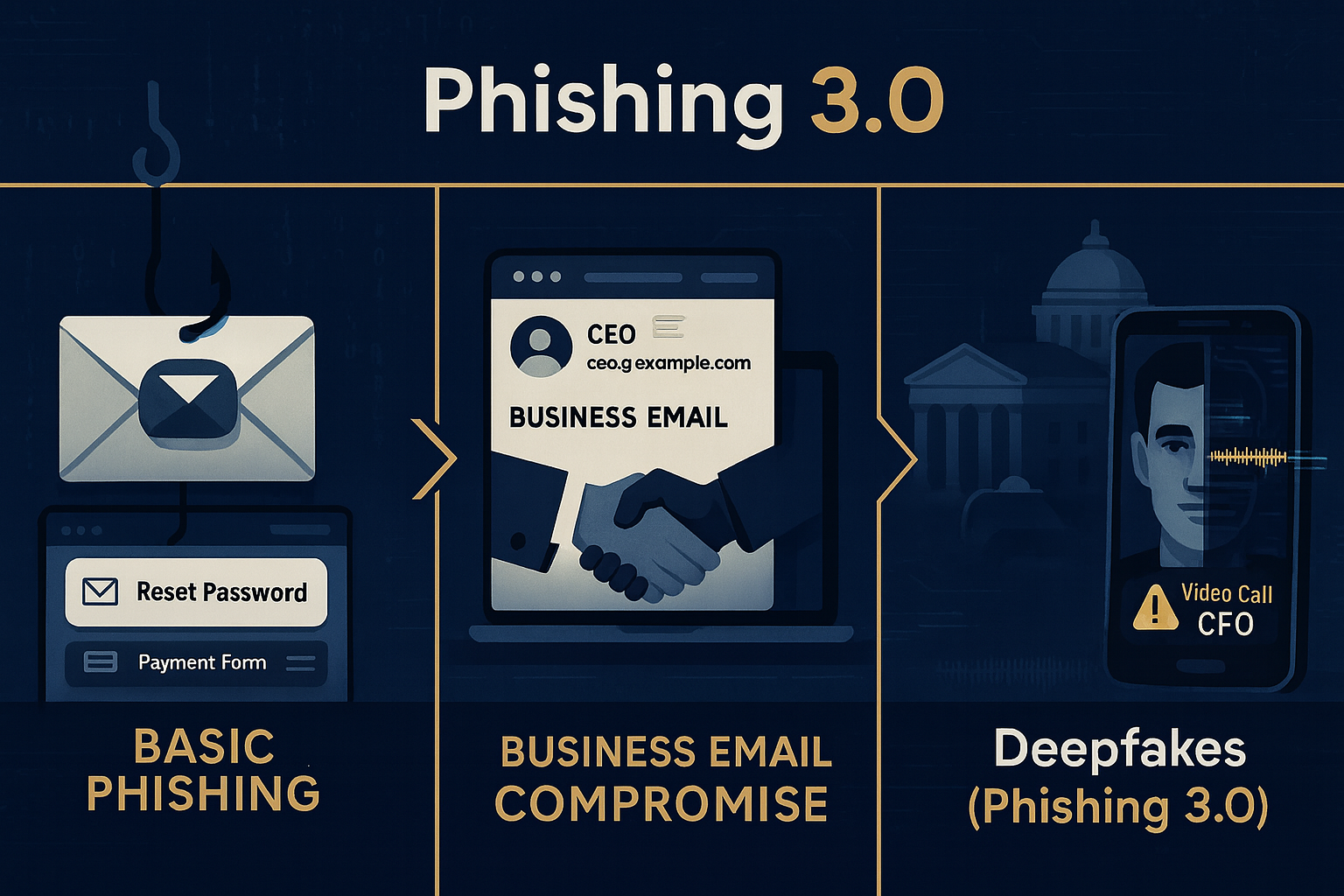
AI से अब फेक ईमेल, डीपफेक वीडियो, और ऑटोमेटेड हैकिंग संभव हो चुकी है।

AI tools ऐसे फेक कंटेंट बना सकते हैं जो इंसानों को असली जैसा लगता है।
उदाहरण के लिए — किसी CEO की आवाज़ की नकल कर पैसे ट्रांसफर करवाना (Voice Deepfake Scam) या किसी दोस्त की फोटो से फेक प्रोफ़ाइल बनाकर ठगी करना।


कैसे हमला होता है:

  • AI-Phishing Emails: ChatGPT जैसे टूल्स से flawless ईमेल बनाना

  • Deepfake Calls/Videos: किसी व्यक्ति की आवाज़ या चेहरा इस्तेमाल करना

  • Automated Malware: AI खुद नेटवर्क की कमजोरी ढूँढकर हैकिंग करता है


कैसे बचें (Protection Tips):

  • कभी भी ईमेल या कॉल पर पैसे या जानकारी साझा न करें।

  • Voice या video verification के लिए official confirmation लें।

  • Face/Voice-based authentication में multi-layer security रखें।

  • Social media पर अपनी आवाज़ और निजी वीडियो public न रखें।


 Ransomware 2.0 – Data Kidnapping का नया रूप

क्या है Ransomware?

Ransomware एक ऐसा malware है जो आपके सिस्टम की फाइलों को लॉक कर देता है और उन्हें खोलने के लिए पैसे (ransom) मांगता है।

2025 में ransomware और भी advanced हो चुका है — अब ये सिर्फ data encrypt नहीं करता बल्कि data चुराकर leak करने की धमकी देता है।
इसको कहा जाता है “Double Extortion Ransomware.”


कैसे हमला करता है:

  • Email attachments या fake software update के ज़रिए system में entry करता है

  • Network पर फैल जाता है और सभी files को encrypt कर देता है

  • फिर एक message दिखाता है — “Pay in Bitcoin to get your files back”


कैसे बचें:

  • अपने सिस्टम का regular backup रखें (offline + cloud दोनों में)।

  • Untrusted emails से आए attachments कभी न खोलें।

  • Updated antivirus और firewall इस्तेमाल करें।

  • Ransomware protection enable करें (जैसे Bitdefender, Kaspersky)।


 Social Engineering & Human Hacking

क्या है Social Engineering?

ये सबसे पुराना लेकिन अब भी सबसे खतरनाक हमला है — क्योंकि ये मशीन नहीं, इंसान को निशाना बनाता है।
हैकर झूठी कहानी, डर या लालच के जरिए यूज़र से खुद उसकी जानकारी ले लेते हैं।

 उदाहरण:

  • "आपका बैंक अकाउंट ब्लॉक होने वाला है!" — OTP माँगना

  • “आपने ₹10,000 जीते हैं!” — link क्लिक करवाना

  • “Tech support call” — system control लेना


कैसे बचें:

  • कभी भी OTP, password या bank detail फोन पर साझा न करें।

  • किसी भी अजनबी कॉल या ईमेल पर भरोसा न करें

  • कर्मचारियों को cyber awareness training दें।

  • Social media पर अपनी personal details सीमित रखें।


 Internet of Things (IoT) Attacks

क्या है IoT?

IoT यानी “Internet of Things” — यानी ऐसे smart devices जो इंटरनेट से जुड़े होते हैं।
जैसे — Smart TV, CCTV, Alexa, Smart Bulb, Smart Car आदि।

2025 में घर और ऑफिस में ऐसे devices की संख्या करोड़ों में पहुँच गई है।
लेकिन इन devices में ज़्यादातर में weak security होती है — और हैकर्स इसका फायदा उठाते हैं।


कैसे हमला करते हैं:

  • Default password से डिवाइस हैक करते हैं

  • Camera या mic को remotely control करते हैं

  • Devices को botnet में बदलकर बड़े cyber attacks करते हैं


कैसे बचें:

  • IoT devices का default password बदलें

  • Firmware और apps को regularly update करें

  • Network को अलग रखें (IoT network & main Wi-Fi अलग रखें)

  • Unnecessary smart devices disable करें


 Data Breaches & Identity Theft

क्या है ये खतरा?

जब किसी वेबसाइट, ऐप या कंपनी का database hack हो जाता है, तो यूज़र्स की जानकारी चोरी हो जाती है — जैसे नाम, ईमेल, पासवर्ड, आधार नंबर, बैंक डिटेल्स आदि।
इसी को कहा जाता है Data Breach

इसके बाद हैकर्स आपकी identity का इस्तेमाल fake accounts या financial frauds में करते हैं।


2025 में Data Breaches के Common Target:

  • Healthcare websites (medical data)

  • E-commerce और delivery apps

  • Social media platforms

  • Cloud storage services


कैसे बचें:

  • हर साइट पर अलग पासवर्ड रखें।

  • 2FA (Two-Factor Authentication) हमेशा ऑन रखें।

  • “Have I Been Pwned” साइट पर जाकर चेक करें कि आपका ईमेल leak तो नहीं हुआ।

  • Sensitive documents कभी online share न करें।

  • Trusted VPN से इंटरनेट इस्तेमाल करें।


 Bonus Threat: Quantum Computing का खतरा (Coming Soon)

Quantum computers आने वाले कुछ वर्षों में आज के encryption systems को तोड़ने की क्षमता रखते हैं।
इसका मतलब है कि जो data आज सुरक्षित है, वो आने वाले समय में खतरे में पड़ सकता है।

 इसलिए सरकारें और कंपनियाँ अब Post-Quantum Encryption पर काम कर रही हैं।


कैसे Overall Cyber Secure बनें (Complete Protection Checklist)

श्रेणीसुरक्षा उपाय
 पासवर्ड        Strong + Unique passwords बनाएं
Authentication        Two-Factor Authentication हर जगह ऑन करें
 Backup        हर हफ्ते data backup लें
 Software        Regular updates और antivirus रखें
 Wi-Fi        Secure router password रखें
 Social Media       Privacy settings control करें
 Awareness       Cybersecurity blogs और alerts पढ़ते रहें

निष्कर्ष (Conclusion)

2025 का डिजिटल युग जितना शक्तिशाली है, उतना ही खतरनाक भी।
साइबर अपराधी अब सिर्फ कंप्यूटर नहीं, बल्कि इंसानों की सोच, आदतें और भावनाओं को निशाना बना रहे हैं।

इसलिए याद रखिए —

“Technology alone can’t protect you — Awareness can.”

अगर आप ऊपर बताए गए 5 Cybersecurity Threats और उनके बचाव के उपाय अपनाते हैं,
तो आप अपनी digital जिंदगी को 90% तक सुरक्षित रख सकते हैं।

Stay Aware. Stay Secure. Stay Smart.


Share this post with friends to help them stay safe online and comment below which threat you find most dangerous!

बुधवार, 24 सितंबर 2025

जानिए कैसे करें खुद को Online Safe |


आज की दुनिया पूरी तरह Digital हो चुकी है। हर व्यक्ति अपने मोबाइल, लैपटॉप और इंटरनेट के ज़रिए बैंकिंग, शॉपिंग, सोशल मीडिया और कामकाज सब कुछ ऑनलाइन करता है।

लेकिन क्या आपने कभी सोचा है कि आपका यह digital data कितना सुरक्षित है?

यहीं से शुरू होती है – Cyber Security की ज़रूरत।


Cyber Security यानी Online दुनिया की सुरक्षा। इसका उद्देश्य है आपके personal data, computer systems, और networks को hackers, viruses, phishing, और online scams से बचाना।


 Cyber Security क्या है? (What is Cyber Security in Hindi)

 Cyber Security एक ऐसी technology और practice है जो computers, networks, servers, mobile devices और data को किसी भी अनधिकृत पहुंच (unauthorized access), misuse, या attack से बचाती है।


सीधे शब्दों में 

 “Cyber Security का मतलब है अपने digital data और devices को safe रखना, ताकि कोई Hacker या malware आपकी जानकारी चोरी  कर सके।

 Cyber Crime क्या होता है?

 Cyber Crime वह अपराध है जो इंटरनेट या कंप्यूटर नेटवर्क के माध्यम से किया जाता है।

इन अपराधों में शामिल हैं:

 Data चोरी करना

 Online fraud

 Phishing और email scams

 Social media account hacking

 Bank account से unauthorized transactions

 Cyber Crime का शिकार कोई भी हो सकता है एक व्यक्ति, कंपनी या यहाँ तक कि सरकारें भी।

 Cyber Attack के प्रकार (Types of Cyber Attacks)

 Cyber Security को समझने के लिए यह जानना ज़रूरी है कि हम पर कौन-कौन से Cyber Attacks हो सकते हैं 

  Phishing Attack

 Hackers फर्जी emails या messages भेजकर users को किसी fake link पर क्लिक करने के लिए मजबूर करते हैं।

जैसे – “आपका बैंक खाता बंद हो रहा है, तुरंत verify करें।

जैसे ही आप उस लिंक पर क्लिक करते हैं, आपकी banking details चोरी हो जाती हैं।


 Malware Attack

 Malware यानी Malicious Software, जो आपके सिस्टम में घुसकर डेटा चोरी कर सकता है।

उदाहरण वायरस, वॉर्म्स, ट्रोजन, रैनसमवेयर इत्यादि।


Ransomware Attack

 इसमें hacker आपके computer को lock कर देता है और unlock करने के लिए “ransom” यानी पैसे की मांग करता है।


DDoS Attack (Distributed Denial of Service)

 Hackers एक वेबसाइट या server पर इतनी अधिक traffic भेजते हैं कि वह crash हो जाता है और users के लिए unavailable हो जाता है।


 Password Attack

 Hackers आपके कमजोर passwords का फायदा उठाकर आपके accounts में घुसने की कोशिश करते हैं।


Cyber Security के प्रकार (Types of Cyber Security)

 Cyber Security को कई layers में बांटा गया है ताकि हर स्तर पर सुरक्षा बनी रहे 

 अगर आप Phishing और Online Scams के बारे में विस्तार से जानना चाहते हैं, तो यह लेख पढ़ें ।

 Network Security

 यह computer networks को unauthorized access से बचाता है।

उदाहरण: Firewalls, Intrusion Detection Systems (IDS), VPNs आदि।


 Information Security

 यह data की गोपनीयता (confidentiality) और अखंडता (integrity) को बनाए रखता है।


Application Security

 Software या apps को secure बनाने के लिए coding level पर सुरक्षा दी जाती है।


Cloud Security

 Cloud platforms (जैसे Google Drive, AWS, Azure) में stored data को सुरक्षित रखना।


 Endpoint Security

 हर device जैसे mobile, laptop या PC की सुरक्षा।


Cyber Security कैसे काम करती है?

 Cyber Security में कई tools और techniques का इस्तेमाल होता है जैसे:

 Firewalls

 Antivirus Software

 Encryption

 Multi-Factor Authentication

 AI-based Threat Detection

 इन सबका लक्ष्य होता है कि किसी भी unauthorized access या attack को समय रहते रोका जा सके।


 Cyber Security क्यों ज़रूरी है?

 Personal Data Protection:

आपकी identity, bank details और social media accounts सुरक्षित रहते हैं।

 Business Security:

कंपनियों के confidential documents और client data सुरक्षित रहते हैं।


National Security:

किसी भी देश की defence और critical infrastructure को cyber attacks से बचाना बहुत जरूरी है।


Online Fraud से सुरक्षा:

इंटरनेट पर बढ़ते online scams से बचाव होता है।


Cyber Security से खुद को कैसे सुरक्षित रखें? (Safety Tips)

Strong Password रखें (A@#123 जैसे)
हर जगह Two-Factor Authentication (2FA) ऑन करें
Untrusted websites से कुछ भी डाउनलोड न करें
Email या SMS में आए किसी भी unknown link पर क्लिक न करें
Antivirus और Firewall हमेशा update रखें
Public Wi-Fi से banking या confidential काम न करें


भारत में Cyber Security की स्थिति

भारत में cyber attacks के cases तेजी से बढ़ रहे हैं।
सरकार ने इसके लिए कई initiatives शुरू किए हैं जैसे:

  • CERT-In (Computer Emergency Response Team)

  • National Cyber Crime Reporting Portal (cybercrime.gov.in)

  • Cyber Swachhta Kendra
    इनके जरिए लोग awareness फैला सकते हैं और शिकायत दर्ज कर सकते हैं।

Cyber Security का भविष्य (Future of Cyber Security)

AI और IoT (Internet of Things) के बढ़ते इस्तेमाल से cyber threats भी बढ़ रहे हैं।
आने वाले समय में:

  • AI-based security systems

  • Zero Trust Network Architecture

  • Quantum Encryption
    का इस्तेमाल आम हो जाएगा।

निष्कर्ष (Conclusion)

Cyber Security सिर्फ IT professionals के लिए नहीं, बल्कि हर internet user के लिए ज़रूरी है।
आपका data ही आपकी identity है — और इसे सुरक्षित रखना आपकी जिम्मेदारी है।

“Stay Aware, Stay Secure – Cyber Safety is Digital Responsibility.”


"हर दिन कुछ नया सीखने के लिए हमारे ब्लॉग को Follow करें और कमेंट में बताएं कि आपको यह article कैसा लगा!" 


AI का डार्क साइड: कैसे हैकर्स AI का इस्तेमाल करके अटैक कर रहे हैं और आप कैसे बचें

  आर्टिफिशियल इंटेलिजेंस (AI) अब सिर्फ एक टेक्नोलॉजी नहीं, बल्कि साइबर क्राइम का सबसे बड़ा हथियार बन चुका है। जहां एक तरफ AI हमारी सिक्योरिट...