Cyber Safety Tips लेबलों वाले संदेश दिखाए जा रहे हैं. सभी संदेश दिखाएं

शुक्रवार, 12 दिसंबर 2025

Weekly Recap: हॉट CVEs, npm वर्म रिटर्न्स, Firefox RCE, M365 ईमेल रेड और भी बहुत कुछ


                                                     हैकर्स अब दरवाज़े नहीं तोड़ते 

आज के साइबर हमले पहले जैसे नहीं रहे।हैकर्स अब बल प्रयोग नहीं करते — वे वही टूल्स, ऐप्स और सिस्टम इस्तेमाल करते हैं जो हम रोज़ बिना सोचे इस्तेमाल करते हैं:

  • कोड पैकेज

  • क्लाउड अकाउंट

  • ईमेल

  • चैट ऐप

  • फोन

  • “ट्रस्टेड पार्टनर”

एक गलत डाउनलोड आपकी Keys लीक कर सकता है।
एक कमजोर वेंडर कई कंपनियों को एक साथ एक्सपोज़ कर सकता है।
एक गेस्ट इनवाइट या एक लिंक — और आपकी मेल, चैट, रिपोज़ और सर्वर खतरे में।

नीचे दी गई हर खबर ये याद दिलाती है कि हमारे “सेफ” टूल्स ही हमारी सबसे बड़ी कमजोरी हो सकते हैं।


इस हफ्ते का सबसे बड़ा खतरा (Threat of the Week)

Shai-Hulud वापस आया — और इस बार और भी खतरनाक

npm registry पर दूसरी बार एक self-replicating worm ने हमला किया।
नाम था — “Sha1-Hulud: The Second Coming”

इस हमले का असर:

  • 800+ npm पैकेज संक्रमित

  • 27,000 GitHub रिपोज़िटरी प्रभावित

  • API keys, cloud credentials और GitHub secrets चोरी

  • GitHub Actions को hack करके C2 (Command & Control) बनाना

  • हर npm पैकेज को backdoor करके malicious payloads के साथ republish करना

  • Worm की तरह supply chain में फैलना

मैलवेयर Node.js को bypass करके Bun install करता है ताकि traditional defenses इसे पकड़ न सकें।

GitGuardian ने 294,842 secret leaks पाए, जिनमें शामिल थे:

  • GitHub access tokens

  • Slack webhooks

  • AWS IAM keys

  • OpenAI Project API keys

  • Claude API keys

  • Google API keys

  • GitLab tokens

एक compromised डेवलपर पैकेज ने Trigger.dev की GitHub organization तक unauthorized access दे दिया।

PyPI (Python repo) इस हमले से प्रभावित नहीं हुआ।


इस हफ्ते की टॉप साइबर न्यूज़

1. ToddyCat अब Outlook ईमेल और M365 Tokens चुरा रहा है

APT ग्रुप ToddyCat अब सिर्फ ब्राउज़र क्रेडेंशियल ही नहीं, बल्कि:

  • Outlook mail archives

  • Microsoft 365 access tokens

चुरा रहा है।
यह इसका 2025 में दूसरा बड़ा रूपांतरण है।


2. Qilin Ransomware — एक MSP को हैक कर 28 Finance कंपनियाँ प्रभावित

South Korea में एक बड़े सप्लाई चेन अटैक में:

  • Qilin Ransomware

  • North Korean actors (Moonstone Sleet)

मिलकर एक MSP को हैक करते हैं।
एक ही breach से 1 million files और 2TB डेटा चोरी।


3. CISA का अलर्ट — Messaging Apps को टारगेट करने वाला Spyware

Spyware व RATs का इस्तेमाल कर:

  • High-value व्यक्तियों

  • Government, Military, Political Officials

को टारगेट किया जा रहा है।
सोशल इंजीनियरिंग से spyware फ़ोन में इंस्टॉल कराया जा रहा है।


4. WSUS Vulnerability Exploit कर ShadowPad Malware डिप्लॉय

Threat actors ने Windows Server Update Services (CVE-2025-59287) का दुरुपयोग किया।
curl.exe और certutil.exe से ShadowPad डाउनलोड कर सिस्टम में इंस्टॉल किया गया।


5. Microsoft Teams Guest Access में बड़ा Security Gap

Guest mode में security hosting tenant से लागू होती है, आपके संगठन की नहीं
इससे Microsoft Defender की protections को bypass करना आसान हो जाता है।


Trending CVEs — इस हफ्ते की सबसे खतरनाक कमजोरियां

हैकर्स नए CVEs का इस्तेमाल घंटों में कर लेते हैं।
एक missed update = एक बड़ा breach।

इस हफ्ते की high-risk vulnerabilities:

  • Fluent Bit vulnerabilities

  • vLLM

  • Tenda router flaws

  • ASUS MyASUS और ASUS Routers

  • Angular HttpClient flaw

  • NVIDIA Isaac-GR00T

  • GitLab CE/EE

  • Next.js में unauthenticated DoS vulnerability


दुनिया भर की साइबर खबरें (Short Highlights)

🇵🇱 पोलैंड ने रूसी नागरिक को हैकिंग के आरोप में पकड़ा

IT सिस्टम में घुसकर डेटा छेड़छाड़ करने की कोशिश।

🇺🇸 FCC ने Broadcasters को networks secure करने की चेतावनी दी

Compromised transmitter links का misuse कर गलत content broadcast हुआ।

Firefox WebAssembly vulnerability से Remote Code Execution का खतरा

एक single-line बग पूरा ब्राउज़र breach कर सकता था।

Cryptomixer shutdown — €1.3B Bitcoin laundering network खत्म

Europol ने massive crypto mixing ऑपरेशन बंद किया।

South Korea — North Korea से hacking tools खरीदने वाला व्यक्ति गिरफ्तार

Illegal server operations के लिए tools खरीदे थे।

AI compute का misuse — free AI tiers का उपयोग कर automated cyber attacks

China-based setup ने free AI compute chain करके attacks automate किए।

Fake Battlefield 6 game से stealer malware फैलाया जा रहा है

Game installer में cryptocurrency, Discord और browser credentials चोरी।

Nation-State actors में सहयोग बढ़ा

Lazarus, Gamaredon और Kimsuky जैसे groups का infrastructure overlap।

Anthropic: Claude Opus 4.5 prompt injection के खिलाफ अधिक मजबूत

Malicious coding requests में लगभग 100% refusal।

Uhale Android Photo Frames में 17 critical flaws

Devices को पूरी तरह hack कर malware spreading तक संभव।

Operation South Star — China में ZipperDown का उपयोग कर mobile attacks

Email exploit के ज़रिए malicious APK install करवाई गई।

Malicious LLMs (WormGPT, KawaiiGPT) cybercriminals को बेचें जा रहे हैं

Phishing, malware creation और reconnaissance आसानी से generate कर रहे हैं।

 Cybersecurity Tools

1. LUMEN — Offline Windows Event Log Analyzer

  • SIGMA detections

  • Storyline correlation

  • IOC extraction

  • Local, private log analysis

2. Pi-hole — Network-wide DNS Blocker

  • Ads और trackers ब्लॉक

  • No client software needed

  • Full DNS control

(Disclaimer: केवल learning और research के लिए)


निष्कर्ष

आज के साइबर हमले दिखाते हैं कि:

अब कोई भी कंपनी “बहुत छोटी” या “बहुत महत्वहीन” नहीं है।

अक्सर breach इसलिए होते हैं क्योंकि:

  • एक package चेक नहीं हुआ

  • एक vendor verify नहीं किया

  • एक “temporary token” कभी revoke नहीं हुआ

  • एक guest account किसी का नहीं था

हैकर्स इन्हीं छोटी गलतियों का फायदा उठाते हैं।

इस रिपोर्ट को पढ़कर आगे मत बढ़िए।
आज ही एक छोटा कदम उठाइए:

  • एक key rotate करें

  • एक vendor की access सीमित करें

  • Guest accounts review करें

  • Update path secure करें

  • एक high-risk CVE patch करें

“हम करेंगे” और “हमने कर दिया”—
यही फर्क आपको अगला breach बनने से बचाता है।

सोमवार, 13 अक्टूबर 2025

Ethical Hacking — Step-by-Step (Hindi)


क्यों Ethical Hacking ज़रूरी है?

आज के डिजिटल युग में साइबर हमले न केवल टेक्निकल तक सीमित हैं, बल्कि आर्थिक, सामाजिक और राष्ट्रीय सुरक्षा के लिए भी खतरा बन गए हैं। कंपनियाँ, सरकारी संस्थाएँ और व्यक्तिगत उपयोगकर्ता सभी निशाने पर हैं। इसलिए Hackers से सुरक्षा पाने के लिए हमें उन्हीं की भाषा समझनी होगी — परंतु नैतिक तरीके से। यही है Ethical Hacking: सिस्टम की कमज़ोरियाँ पहचानना ताकि उन्हें सही तरीक़े से ठीक किया जा सके।

Ethical Hacker का उद्देश्य रक्षा बढ़ाना, रिस्क कम करना और सिस्टम को सुरक्षित बनाना है — वह बुरा नहीं करता, बल्कि बुराइयों को खोजकर रिपोर्ट करता है।

Ethical Hacking क्या है 

Ethical Hacking (जिसे penetration testing या white-hat hacking भी कहा जाता है) वह प्रक्रिया है जिसमें किसी सिस्टम, नेटवर्क या एप्लिकेशन की सुरक्षा का परीक्षण वैध अनुमति के साथ किया जाता है। इसका मुख्य उद्देश्य है:

  • Vulnerabilities खोजना (पर exploit करने के बदले)

  • Risk का मापन करना

  • सुरक्षा सुधार के उपाय सुझाना

  • Responsible disclosure के जरिए patches और remediation कराना

यहाँ महत्वपूर्ण है — अनुमति (Authorization)। बिना अनुमति किसी सिस्टम पर टेस्ट करना गैरकानूनी है।

Ethical Hacking के प्रमुख पहलू 

  1. Reconnaissance (जानकारी इकट्ठा करना): लक्ष्य के बारे में सार्वजनिक जानकारी (OSINT) इकट्ठा करना — domain, subdomains, public IPs, technologies, employee info आदि।

  2. Threat Modeling & Scoping: क्या टेस्ट करना है, क्या नहीं — जोखिमों को प्राथमिकता देना।

  3. Vulnerability Assessment: Automated scanning से संभावित कमजोरियाँ ढूँढना (high-level)।

  4. Penetration Testing: अनुमति के साथ नियंत्रित तरीके से कमजोरियों की पुष्टि (exploit confirmation) — पर exploit को production नुकसान न पहुँचाने का नियम।

  5. Post-Exploitation (Ethical): पाया गया access किस तरह का है, क्या डेटा एक्सपोज़ हुआ — रिपोर्ट के लिए साक्ष्य इकट्ठा करना।

  6. Reporting & Remediation: findings का साफ़ और actionable रिपोर्ट, fix prioritization।

  7. Retesting: fixes लागू होने के बाद verify करना।

ध्यान: ऊपर के चरणों में technical depth जरूरी है लेकिन exploit के step-by-step destructive तरीकों का खुलासा नहीं किया जाता — यही ethical boundary है।

कानूनी और नैतिक फ्रेमवर्क 

  • Written Authorization: हमेशा written permission लें — scope, duration, allowed tools, out-of-scope systems स्पष्ट हों।

  • Non-Disclosure Agreement (NDA): संवेदनशील डेटा के लिए NDA होना चाहिए।

  • Responsible Disclosure Policy: यदि आप किसी तीसरे पार्टी vulnerability पाते हैं तो organized, non-exploitative तरीके से vendor को रिपोर्ट करें।

  • Data Protection Laws: GDPR, India's IT Act और अन्य स्थानीय कानूनों का पालन करें — किसी भी व्यक्तिगत डेटा को नुकसान नहीं पहुँचाना चाहिए।

  • Scope और Rules of Engagement (RoE): टेस्टिंग की सीमा और किस हालत में टेस्ट बंद कर देना है, ये निर्धारित हों।

Ethical Hacking के प्रकार (Categories)

  • Black-box Testing: Tester को target के बारे में बेहद कम जानकारी होती है — real-world attacker simulation।

  • White-box Testing: Tester को पूरा source/code, architecture दस्तावेज़ दिया जाता है — deep security audit।

  • Grey-box Testing: आंशिक जानकारी मिलती है — जैसे developer credentials के बिना लेकिन internal knowledge के साथ।

  • Red Teaming: एक व्यापक assault simulation — organization की detection और response capabilities जांचना।

  • Blue Teaming: Defensive teams का काम — IDS/IPS, monitoring, incident response। Purple team exercises में Red और Blue मिलकर सिखते हैं।

Tools — क्या जानना उपयोगी है (पर destructive instructions नहीं)

Ethical hackers को tools की समझ होनी चाहिए — पर हम यहाँ commands या exploit code नहीं देंगे, सिर्फ tool categories और उनका उद्देश्य बताएंगे:

  • Recon & OSINT: Shodan, Censys, crt.sh (cert search), WHOIS, Google dorks — सार्वजनिक जानकारी खोजना।

  • Network Scanning: Nmap (network discovery, port enumeration) — यहाँ से पता चलता है कौनसे services चल रहे हैं।

  • Vulnerability Scanners: Nessus, OpenVAS, Qualys — high-level vuln identification।

  • Web App Testing: Burp Suite (proxy + scanner), OWASP ZAP — input validation, session management issues।

  • Password / Hash Testing: Hashcat (password analysis), लॉक-आउट policies का मूल्यांकन।

  • Wireless Testing: Tools to analyze Wi-Fi security posture (legal lab use only).

  • Container & Cloud Security: Tools for scanning container images and cloud misconfigurations (e.g., Trivy, kube-bench).

  • Logging & Monitoring Tools: Splunk, ELK Stack — detection/forensics analysis का हिस्सा।

 इन टूल्स का इस्तेमाल केवल authorized और controlled lab environment में करें। किसी production system पर इनका misuse करनै से अपराध बनता है।

Vulnerability Types — क्या ढूँढते हैं (Conceptual)

Ethical hacking में commonly जो vulnerabilities देखी जाती हैं (स्रोत: OWASP, SANS आदि):

  • Injection flaws (e.g., SQLi, Command Injection) — input sanitize न होने पर।

  • Broken Authentication & Session Management — weak sessions, predictable tokens।

  • Sensitive Data Exposure — unencrypted storage/transfer।

  • Misconfiguration — default passwords, open ports, permissive CORS।

  • Broken Access Controls — privilege escalation संभावनाएँ।

  • Insecure Deserialization, XXE, CSRF, XSS — web app specific।

  • Cloud misconfigurations — public S3 buckets, overstretched IAM policies।

  • Supply Chain risks — third-party libraries with vulnerabilities।

यहाँ हम exploit steps नहीं बताएंगे; बल्कि vulnerability का प्रभाव, detection और mitigation बताएंगे — ताकि reader समझकर defensive measures ला सके।

Secure Methodologies — कैसे testing सावधानीपूर्वक करें

  1. Non-destructive proofing: vulnerability confirm करने के लिए non-destructive techniques (e.g., safe probes) अपनाएँ।

  2. Time-window: Testing के लिए समय निर्धारित करें (off-peak) और notify stakeholders।

  3. Backups & Rollback: किसी भी टेस्ट से पहले backups मौजूद होने चाहिए।

  4. Logging enabled: Tests के दौरान logs collect करें — ताकि बाद में फ़ॉरेंसिक और रिपोर्टिंग आसान हो।

  5. Containment: किसी भी exploit का scope सीमित रखें, lateral movement न होने दें।

Lab Setup — सीखने के लिए सही तरीका (Legal & Safe)

Real-world skills पाने के लिए घरेलू/organizational lab बनाना सबसे सुरक्षित और नैतिक तरीका है:

  • Isolated Virtual Lab: VirtualBox/VMware पर isolated VMs: Kali (testing), Metasploitable (vulnerable target), web app vulnerable instances (OWASP Juice Shop)।

  • Container Labs: Docker-compose based vulnerable stacks (WebGoat, DVWA) — fast setup.

  • Cloud Sandboxes (with caution): जरूरी permission और billing समझ कर प्रयोग करें।

  • CTF Platforms: HackTheBox, TryHackMe, OverTheWire — legal challenges और structured learning।

  • Code Review Practice: Open-source projects पर secure code reading — input validation, auth flows को समझना।

Lab में हमेशा no internet outbound rules रखें जब आप intentionally vulnerable VM पर tests कर रहे हों — ताकि accidental misuse न हो।

Practical Defensive Focus — Ethical Hacker का रोल सिर्फ Attack नहीं

Ethical hacker की सबसे बड़ी value defensive side पर है — threat modeling से लेकर design-level security तक:

  • Secure SDLC: Developers के साथ काम कर secure coding guidelines implement करना।

  • Threat Modeling: Risk-based view: कौनसा asset value रखता है, attacker कौनसा path ले सकता है।

  • Security Automation: CI/CD pipeline में SAST/DAST, dependency scanning integrate करना।

  • Monitoring & Detection: EDR, SIEM, network anomaly detection systems deploy।

  • Incident Response: Playbooks, runbooks और tabletop exercises prepare करना।

Ethical hacker बन कर आप organization की security posture को proactively सुधारते हैं।

Reporting — सबसे अहम क़दम (How to Write an Effective PenTest Report)

एक अच्छा penetration test report technical और non-technical दोनों stakeholders के लिए उपयोगी होना चाहिए:

रिपोर्ट की structure (recommended)

  1. Executive Summary: Non-technical overview — findings का impact, priority, business risk।

  2. Scope & Methodology: क्या टेस्ट किया गया, किस permission के साथ, समय-सीमा, tools।

  3. Findings (detailed): प्रत्येक vulnerability के लिए — title, severity, affected systems, proof-of-concept (non-destructive), impact।

  4. Risk Rating & CVSS (if applicable): severity quantify करने के लिए।

  5. Remediation Steps: Clear, prioritized, actionable fixes (code/config suggestions)।

  6. Mitigation & Compensating Controls: अगर immediate fix न हो तो क्या temporary controls लगाएँ।

  7. Appendix: raw logs, screenshots, technical evidence (safeguarded)।

रिपोर्ट हमेशा professional, unbiased और reproducible हो — ताकि dev teams fixes पर काम कर सकें।

Responsible Disclosure — Vulnerability Report कैसे करें

यदि आप किसी third-party product/site पर vuln पाते हैं बिना explicit permission के, तो follow करें:

  1. Do not exploit further।

  2. Collect minimal evidence — screenshots, headers, proof that doesn't expose sensitive data.

  3. Search for vendor’s disclosure policy — अक्सर security page पर contact/email होता है।

  4. Send clear report: summary, steps to reproduce (non-exploitative), impact, contact info।

  5. Follow up — अगर vendor silent है, CERT/ISAC जैसे channels को notify करें।

  6. Respect timelines — public disclosure only after vendor patch or reasonable period।

Responsible disclosure से आप ethical reputation बनाते हैं और legal safety भी मिलती है।

Career Path — Ethical Hacker कैसे बनें (Practical Roadmap)

  1. Foundations: Networking (TCP/IP), OS fundamentals (Linux, Windows), web basics (HTTP, REST).

  2. Learn Security Concepts: Cryptography basics, authentication, access control models।

  3. Certifications (helpful):

    • CompTIA Security+ — basics

    • CEH (Certified Ethical Hacker) — conceptual coverage

    • OSCP (Offensive Security Certified Professional) — hands-on penetration testing (more technical)

    • CISSP — managerial & governance level

  4. Hands-on Practice: CTFs, vulnerable labs, bug bounty platforms (HackerOne, Bugcrowd) — शुरू में low-risk targets पर।

  5. Build Portfolio: Write blog posts, research writeups, responsible disclosures — show your process and ethics.

  6. Networking & Community: Conferences, local security meetups, GitHub contributions।

ध्यान: certifications मदद करते हैं पर practical skills और ethics सबसे ज़्यादा मायने रखते हैं।

Case Studies (High-level, Non-exploitative)

  1. Ransomware Attack Resilience: एक mid-size firm ने backups और network segmentation की वजह से रैनसमवेयर से data loss टाला — उनके lessons: immutable backups, segmentation, endpoint isolation।

  2. Web App Data Leak: एक web portal में insecure direct object references पाई गयीं; fix: proper access control checks server-side और input validation।

  3. Phishing Simulation Impact: एक organization ने simulated phishing campaigns कर awareness बढ़ाई; training ने click-rate घटाया।

इन кейस स्टडीज़ से readers को समझ आता है कि real-world mitigation कैसे काम करती है।

Ethics & Mindset — सही दृष्टिकोण

  • Curiosity + Responsibility: खोज का उद्देश्य हमेशा सुधार होना चाहिए।

  • Transparency: findings को गोपनीयता और जिम्मेदारी के साथ handle करना।

  • Continuous Learning: threat landscape लगातार बदलता है — लगातार सीखते रहें।

  • Collaboration: security कभी अकेले नहीं चलती — developers, ops और management के साथ काम करें।

Resources — पढ़ने और अभ्यास करने के लिए (Recommended)

  • OWASP Top 10 — web app vulnerabilities overview।

  • SANS Reading List — practical defensive and offensive topics।

  • CTF Platforms: TryHackMe, Hack The Box, OverTheWire।

  • Books: “The Web Application Hacker’s Handbook” (for concepts), “Practical Malware Analysis” (defensive understanding)।

  • Blogs & News: Krebs on Security, The Hacker News, ThreatPost।

  • YouTube Channels: LiveOverflow, John Hammond (conceptual demos) — note: always ethical context में देखें।

Final Checklist — Ethical Hacker के लिए Quick Actionable (non-exploitative) list

  • Written permission & scope defined।

  • Isolated test environment और backups ready।

  • Non-destructive verification techniques चुनें।

  • Detailed logging active रखें।

  • Clear, prioritized remediation और communication plan तैयार रखें।

  • Responsible disclosure और retesting का roadmap बनाएं।

निष्कर्ष — Ethical Hacking की असली ताकत

Ethical hacking केवल कमजोरी पहचानने का काम नहीं; यह एक organizational resilience बनाने की कला है। जब आप systems को attacker की नज़र से देखते हैं — पर ethically और responsibly — तभी आप असली सुरक्षा ला सकते हैं।

तो curiosity, discipline और ethics को अपने साथ रखें। सीखते रहें, सही तरीके से practice करें, और community में अपना योगदान दें — क्योंकि सुरक्षित डिजिटल दुनिया हम सबकी ज़िम्मेदारी है।

मंगलवार, 7 अक्टूबर 2025

Ransomware & Malware: इंटरनेट की सबसे खतरनाक साइबर थ्रेट की पूरी कहानी (2025)


आज के डिजिटल युग में, जहाँ हर व्यक्ति इंटरनेट और टेक्नोलॉजी पर निर्भर है, वहीं साइबर अपराध भी लगातार बढ़ते जा रहे हैं।
इनमें से सबसे घातक और डरावनी धमकियाँ हैं — Ransomware और Malware
ये दो ऐसे हथियार हैं जिनसे साइबर अपराधी (Hackers) लाखों कंप्यूटर, कंपनियाँ और सरकारी सर्वर तक को बंधक बना चुके हैं।

अगर आप भी कंप्यूटर, लैपटॉप या मोबाइल इंटरनेट से इस्तेमाल करते हैं, तो आपको यह समझना ज़रूरी है कि Ransomware और Malware क्या होते हैं, ये कैसे काम करते हैं, और आप खुद को इनसे कैसे बचा सकते हैं।

 Malware क्या है? (What is Malware?)

Malware शब्द दो शब्दों से बना है — Malicious + Software यानी ऐसा सॉफ़्टवेयर जो किसी सिस्टम को नुकसान पहुँचाने के लिए बनाया गया हो।
इसका मुख्य उद्देश्य डेटा चोरी करना, सिस्टम को क्रैश करना, या यूज़र पर निगरानी रखना होता है।

 Malware के प्रमुख प्रकार:

Virus – खुद को दूसरे फाइलों में कॉपी करके सिस्टम को संक्रमित करता है।


Worm – बिना यूज़र की अनुमति के नेटवर्क में फैल जाता है।

Trojan Horse – दिखने में सामान्य सॉफ़्टवेयर जैसा लगता है, लेकिन बैकग्राउंड में हैकर्स को एक्सेस देता है।

Spyware – यूज़र की एक्टिविटी पर नजर रखता है, जैसे पासवर्ड या बैंकिंग डिटेल।

Adware – जबरदस्ती विज्ञापन दिखाता है और क्लिक ट्रैक करता है।

Keylogger – कीबोर्ड पर टाइप की गई हर कुंजी को रिकॉर्ड करता है।

इन सभी का लक्ष्य एक ही होता है — आपके सिस्टम और डेटा पर कंट्रोल पाना।

 Ransomware क्या है? (What is Ransomware?)

Ransomware एक विशेष प्रकार का Malware है जो आपके सिस्टम की files को encrypt कर देता है — यानी उन्हें लॉक कर देता है ताकि आप उन्हें खोल न सकें।
इसके बाद स्क्रीन पर एक मैसेज आता है कि अगर आप अपनी फाइलें वापस चाहते हैं तो एक निश्चित राशि (ransom) बिटकॉइन या किसी क्रिप्टोकरेंसी में चुकाएँ।

Ransomware का उद्देश्य:

यूज़र को डराना और पैसे वसूलना

कंपनी के काम को रोक देना
डेटा को चोरी करके ब्लैकमेल करना

 Ransomware कैसे काम करता है? (How Ransomware Works)

Ransomware आमतौर पर किसी email attachment, infected website, या pirated software के ज़रिए सिस्टम में प्रवेश करता है।
इसके बाद यह निम्न चरणों में काम करता है:

  1. Infection Phase: संक्रमित फ़ाइल खोलने पर Malware एक्टिव हो जाता है।

  2. Encryption Phase: सिस्टम की सभी फाइलें (जैसे Word, Excel, PDF, Images आदि) को एन्क्रिप्ट कर देता है।

  3. Notification Phase: स्क्रीन पर ransom note दिखाई देता है — “Your files have been encrypted.”

  4. Payment Phase: हैकर्स आपसे बिटकॉइन में पैसे मांगते हैं।

  5. Decryption (अगर हुआ तो): पैसे देने के बाद कभी-कभी डिक्रिप्शन की दी जाती है — लेकिन कई बार पैसे लेकर भी कुछ नहीं होता।

 Ransomware के प्रकार (Types of Ransomware)

Crypto Ransomware: यह आपकी फाइलों को एन्क्रिप्ट कर देता है (उदाहरण – WannaCry, CryptoLocker)।

Locker Ransomware: यह पूरे सिस्टम को लॉक कर देता है, ताकि यूज़र कुछ भी न कर सके।
Scareware: नकली अलर्ट दिखाकर डराता है कि आपका सिस्टम संक्रमित है, और पैसे मांगता है।
Doxware: डेटा को चोरी करके पब्लिक में लीक करने की धमकी देता है।

 दुनिया की सबसे खतरनाक Ransomware हमले

WannaCry (2017):
इसने 150 देशों में 2 लाख से ज़्यादा कंप्यूटर को प्रभावित किया।
इसका निशाना अस्पताल, बैंक और सरकारी एजेंसियाँ थीं।
Petya / NotPetya (2017):

इसने पूरे नेटवर्क को डाउन कर दिया और अरबों डॉलर का नुकसान कराया।
Ryuk (2018):
इसने विशेष रूप से बड़ी कंपनियों और मीडिया संगठनों को निशाना बनाया।
Maze (2020):
इसने डेटा चोरी कर उसे पब्लिक में लीक करने की धमकी दी — “double extortion” method।


 Ransomware कैसे फैलता है? (How It Spreads)

Phishing Emails: नकली ईमेल जो असली लगते हैं।

Pirated Software: मुफ्त सॉफ़्टवेयर में छिपा हुआ वायरस।
Fake Updates: नकली Windows या Browser updates।
Removable Drives: संक्रमित USB या External HDD।
Weak Network Security: पुराने antivirus या firewall का उपयोग।

 Ransomware के Symptoms (पहचान कैसे करें)

सिस्टम बहुत धीमा चलने लगे

Unknown फाइलें अपने-आप बनना
Desktop पर “readme.txt” या “decrypt_instructions” जैसे नोट दिखना
Files का extension बदल जाना (जैसे .locked, .crypt, .xyz आदि)
Antivirus disable हो जाना

 अगर आपका सिस्टम संक्रमित हो जाए तो क्या करें?

इंटरनेट तुरंत डिसकनेक्ट करें – ताकि वायरस आगे न फैले।

Backup से restore करें – अगर आपके पास offline backup है तो फाइलें वापस मिल सकती हैं।
पैसे न दें! – कई बार पैसे देने के बाद भी फाइलें नहीं मिलतीं।
Professional help लें – cybersecurity expert या IT support से संपर्क करें।
Ransomware Decryption Tools – Europol, Kaspersky, NoMoreRansom जैसी साइट्स पर कई decryptor tools उपलब्ध हैं।

 Ransomware और Malware से बचाव (Protection Tips)

 Personal Users के लिए:

Antivirus / Antimalware Software हमेशा अपडेट रखें।

Unknown email attachments न खोलें।
Pirated software या cracks का उपयोग न करें।
Regular Backup रखें (offline या cloud)।
Windows Update और firewall enable रखें।

 Business / Company Users के लिए:

Employee awareness training कराएँ।

Endpoint Protection & SIEM tools का उपयोग करें।
Network segmentation ताकि infection फैल न सके।
Multi-factor authentication (MFA) लागू करें।
Incident Response Plan तैयार रखें।

 आधुनिक तकनीकें जो Malware को पहचानती हैं

AI-Based Threat Detection – Artificial Intelligence अब behavior के आधार पर वायरस पहचानती है।

Sandbox Testing – संदिग्ध फाइल को isolated environment में टेस्ट किया जाता है।
Cloud Security Platforms – जैसे Microsoft Defender, Sophos, CrowdStrike आदि।
Zero-Trust Architecture – हर यूज़र और डिवाइस की constant verification होती है।

 Ransomware के खिलाफ सरकारी कदम

कई देश अब ransomware के खिलाफ कानून और Cyber Task Forces बना चुके हैं:

  • India: CERT-In और Cyber Crime Cells सक्रिय हैं।

  • USA: FBI और NSA ने “Stop Ransomware” campaign शुरू किया है।

  • EU / Europol: “No More Ransom Project” चल रहा है जो free decryptor tools प्रदान करता है।

 2025 में बढ़ते खतरे

2025 तक ransomware और malware का खतरा और बढ़ गया है क्योंकि:

AI और automation से hackers के पास नए tools हैं

Cloud-based attacks और data leaks बढ़ रहे हैं
IoT devices भी अब vulnerable हैं
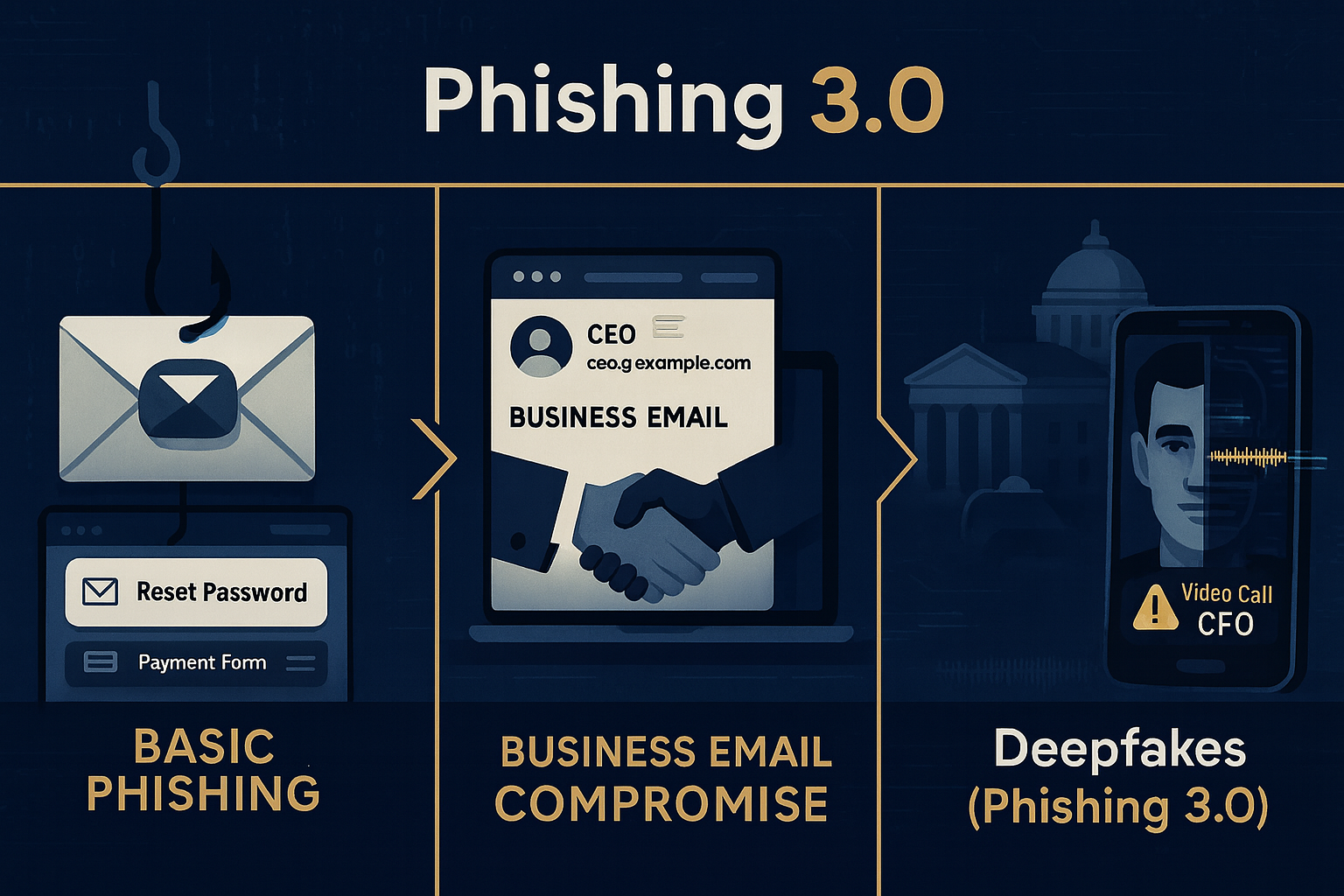
Deepfake और phishing को combine करके sophisticated हमले किए जा रहे हैं

 निष्कर्ष (Conclusion)

Ransomware और Malware सिर्फ तकनीकी खतरे नहीं हैं, बल्कि ये हमारे डेटा, गोपनीयता और डिजिटल जीवन के लिए सीधा खतरा हैं।
इनसे बचने का सबसे अच्छा तरीका है — सावधानी, अपडेटेड सुरक्षा सिस्टम, और जागरूकता।

याद रखें:

“Cybersecurity is not a product, it’s a process.”

अपने सिस्टम को सुरक्षित रखें, backup बनाते रहें, और किसी भी suspicious activity को हल्के में न लें।

 अंत में (Closing Line)

अगर आपको यह आर्टिकल जानकारीपूर्ण लगा हो, तो comment में ज़रूर बताएं कि आप किन cyber threats के बारे में और जानना चाहते हैं।
इस पोस्ट को शेयर करें ताकि और लोग भी अपनी डि

बुधवार, 24 सितंबर 2025

जानिए कैसे करें खुद को Online Safe |


आज की दुनिया पूरी तरह Digital हो चुकी है। हर व्यक्ति अपने मोबाइल, लैपटॉप और इंटरनेट के ज़रिए बैंकिंग, शॉपिंग, सोशल मीडिया और कामकाज सब कुछ ऑनलाइन करता है।

लेकिन क्या आपने कभी सोचा है कि आपका यह digital data कितना सुरक्षित है?

यहीं से शुरू होती है – Cyber Security की ज़रूरत।


Cyber Security यानी Online दुनिया की सुरक्षा। इसका उद्देश्य है आपके personal data, computer systems, और networks को hackers, viruses, phishing, और online scams से बचाना।


 Cyber Security क्या है? (What is Cyber Security in Hindi)

 Cyber Security एक ऐसी technology और practice है जो computers, networks, servers, mobile devices और data को किसी भी अनधिकृत पहुंच (unauthorized access), misuse, या attack से बचाती है।


सीधे शब्दों में 

 “Cyber Security का मतलब है अपने digital data और devices को safe रखना, ताकि कोई Hacker या malware आपकी जानकारी चोरी  कर सके।

 Cyber Crime क्या होता है?

 Cyber Crime वह अपराध है जो इंटरनेट या कंप्यूटर नेटवर्क के माध्यम से किया जाता है।

इन अपराधों में शामिल हैं:

 Data चोरी करना

 Online fraud

 Phishing और email scams

 Social media account hacking

 Bank account से unauthorized transactions

 Cyber Crime का शिकार कोई भी हो सकता है एक व्यक्ति, कंपनी या यहाँ तक कि सरकारें भी।

 Cyber Attack के प्रकार (Types of Cyber Attacks)

 Cyber Security को समझने के लिए यह जानना ज़रूरी है कि हम पर कौन-कौन से Cyber Attacks हो सकते हैं 

  Phishing Attack

 Hackers फर्जी emails या messages भेजकर users को किसी fake link पर क्लिक करने के लिए मजबूर करते हैं।

जैसे – “आपका बैंक खाता बंद हो रहा है, तुरंत verify करें।

जैसे ही आप उस लिंक पर क्लिक करते हैं, आपकी banking details चोरी हो जाती हैं।


 Malware Attack

 Malware यानी Malicious Software, जो आपके सिस्टम में घुसकर डेटा चोरी कर सकता है।

उदाहरण वायरस, वॉर्म्स, ट्रोजन, रैनसमवेयर इत्यादि।


Ransomware Attack

 इसमें hacker आपके computer को lock कर देता है और unlock करने के लिए “ransom” यानी पैसे की मांग करता है।


DDoS Attack (Distributed Denial of Service)

 Hackers एक वेबसाइट या server पर इतनी अधिक traffic भेजते हैं कि वह crash हो जाता है और users के लिए unavailable हो जाता है।


 Password Attack

 Hackers आपके कमजोर passwords का फायदा उठाकर आपके accounts में घुसने की कोशिश करते हैं।


Cyber Security के प्रकार (Types of Cyber Security)

 Cyber Security को कई layers में बांटा गया है ताकि हर स्तर पर सुरक्षा बनी रहे 

 अगर आप Phishing और Online Scams के बारे में विस्तार से जानना चाहते हैं, तो यह लेख पढ़ें ।

 Network Security

 यह computer networks को unauthorized access से बचाता है।

उदाहरण: Firewalls, Intrusion Detection Systems (IDS), VPNs आदि।


 Information Security

 यह data की गोपनीयता (confidentiality) और अखंडता (integrity) को बनाए रखता है।


Application Security

 Software या apps को secure बनाने के लिए coding level पर सुरक्षा दी जाती है।


Cloud Security

 Cloud platforms (जैसे Google Drive, AWS, Azure) में stored data को सुरक्षित रखना।


 Endpoint Security

 हर device जैसे mobile, laptop या PC की सुरक्षा।


Cyber Security कैसे काम करती है?

 Cyber Security में कई tools और techniques का इस्तेमाल होता है जैसे:

 Firewalls

 Antivirus Software

 Encryption

 Multi-Factor Authentication

 AI-based Threat Detection

 इन सबका लक्ष्य होता है कि किसी भी unauthorized access या attack को समय रहते रोका जा सके।


 Cyber Security क्यों ज़रूरी है?

 Personal Data Protection:

आपकी identity, bank details और social media accounts सुरक्षित रहते हैं।

 Business Security:

कंपनियों के confidential documents और client data सुरक्षित रहते हैं।


National Security:

किसी भी देश की defence और critical infrastructure को cyber attacks से बचाना बहुत जरूरी है।


Online Fraud से सुरक्षा:

इंटरनेट पर बढ़ते online scams से बचाव होता है।


Cyber Security से खुद को कैसे सुरक्षित रखें? (Safety Tips)

Strong Password रखें (A@#123 जैसे)
हर जगह Two-Factor Authentication (2FA) ऑन करें
Untrusted websites से कुछ भी डाउनलोड न करें
Email या SMS में आए किसी भी unknown link पर क्लिक न करें
Antivirus और Firewall हमेशा update रखें
Public Wi-Fi से banking या confidential काम न करें


भारत में Cyber Security की स्थिति

भारत में cyber attacks के cases तेजी से बढ़ रहे हैं।
सरकार ने इसके लिए कई initiatives शुरू किए हैं जैसे:

  • CERT-In (Computer Emergency Response Team)

  • National Cyber Crime Reporting Portal (cybercrime.gov.in)

  • Cyber Swachhta Kendra
    इनके जरिए लोग awareness फैला सकते हैं और शिकायत दर्ज कर सकते हैं।

Cyber Security का भविष्य (Future of Cyber Security)

AI और IoT (Internet of Things) के बढ़ते इस्तेमाल से cyber threats भी बढ़ रहे हैं।
आने वाले समय में:

  • AI-based security systems

  • Zero Trust Network Architecture

  • Quantum Encryption
    का इस्तेमाल आम हो जाएगा।

निष्कर्ष (Conclusion)

Cyber Security सिर्फ IT professionals के लिए नहीं, बल्कि हर internet user के लिए ज़रूरी है।
आपका data ही आपकी identity है — और इसे सुरक्षित रखना आपकी जिम्मेदारी है।

“Stay Aware, Stay Secure – Cyber Safety is Digital Responsibility.”


"हर दिन कुछ नया सीखने के लिए हमारे ब्लॉग को Follow करें और कमेंट में बताएं कि आपको यह article कैसा लगा!" 


AI का डार्क साइड: कैसे हैकर्स AI का इस्तेमाल करके अटैक कर रहे हैं और आप कैसे बचें

  आर्टिफिशियल इंटेलिजेंस (AI) अब सिर्फ एक टेक्नोलॉजी नहीं, बल्कि साइबर क्राइम का सबसे बड़ा हथियार बन चुका है। जहां एक तरफ AI हमारी सिक्योरिट...